
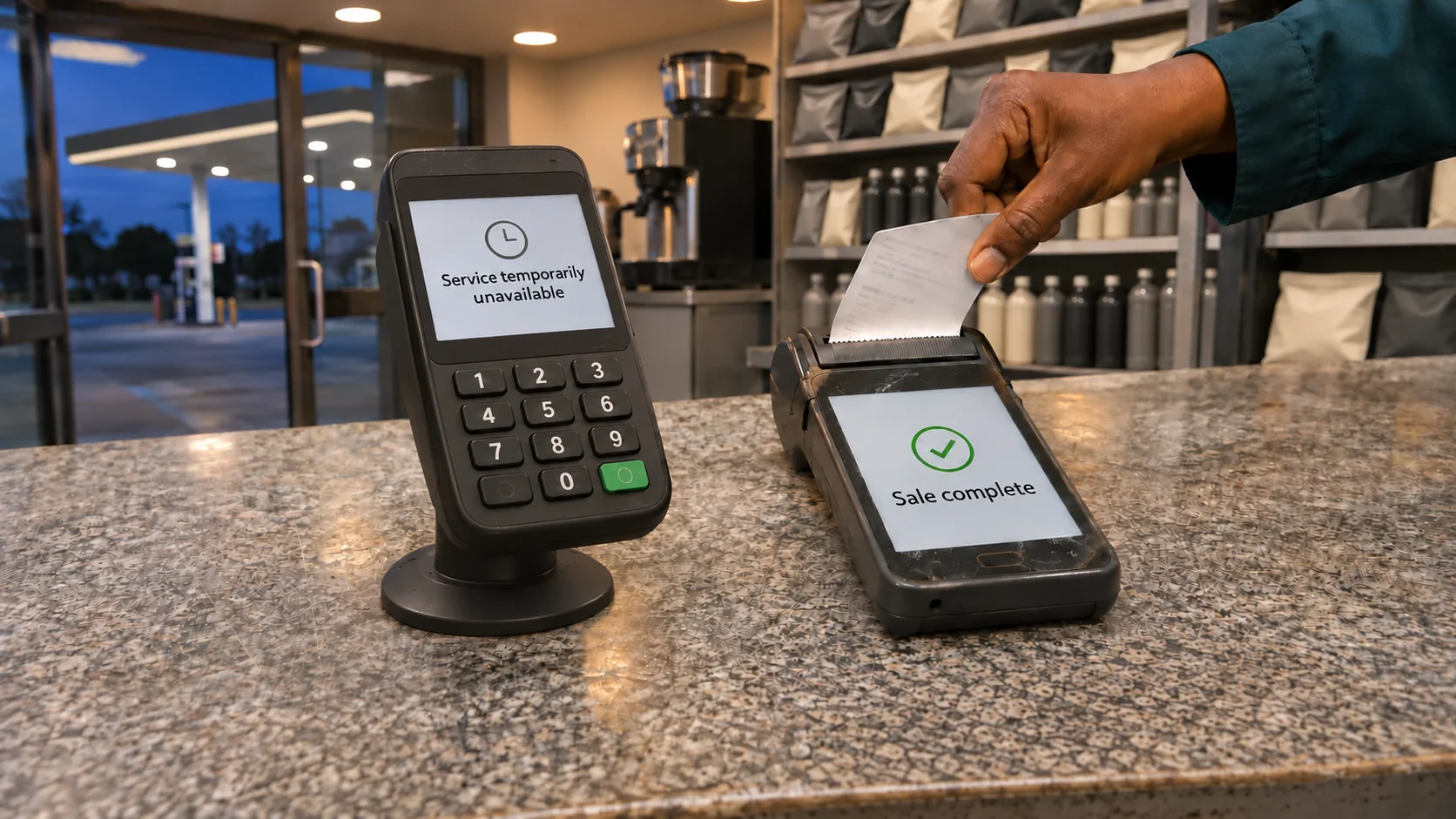
It is ten to six on the 25th. Salaries have cleared, taxis are full, and the busiest hour of the month for prepaid has begun. In a banking app, a delivery app, a fintech wallet and at thousands of spaza counters, people tap "Buy airtime" or "Buy electricity" and wait for a token or an SMS. If the platform behind that button is having a bad hour, the request hangs. The customer gives it a few seconds, closes the app and buys somewhere else.
Most South African businesses that sell or give prepaid value send every one of those requests down a single route. They sign with Flash, with Lesaka's Kazang or Connect businesses, or with Blu Label, integrate once and move on. For almost every hour of every day that arrangement works well. These are large, experienced companies that move airtime, data and electricity at national scale, and the record shows it. The trouble with one route is the hour when it is unavailable, because a business with a single supplier has nowhere to send the next order.
SIMcloud would like to be your second route. We sell airtime, data, prepaid electricity, SMS and digital vouchers through an API, a web dashboard and CSV uploads, and our supply does not run through Flash, Blu Label or Lesaka. When your main supplier has trouble, your orders can come to us and keep going out. You keep your contracts, your rebates and your main integration. We know most of our readers have agreements in place, and we are not asking anyone to break them. We are asking you to keep a spare.
What follows covers how concentrated South Africa's prepaid plumbing has become, what public outage records show, where a second route helps and where nothing helps, how to fail over without sending the same order twice, and practical plans for shop owners, employers and software teams.
Who carries South Africa's prepaid value
Prepaid is now the part of mobile that grows. ICASA's 2026 State of the ICT Sector report, covering the 12 months to 30 September 2025, found that total mobile services revenue fell 7.9% to R121.9 billion while prepaid data revenue rose 7.7% to R42.1 billion. Messaging revenue fell from R4.1 billion to R2.6 billion as people moved to WhatsApp and similar apps. The money that used to go on calls and SMS increasingly goes on data bundles, and most of those bundles are bought prepaid, a few rand or a few hundred rand at a time.
Very few of those purchases go straight from the buyer to the network. Between the button you tap and the network or municipality that issues the value, there is almost always a distributor or aggregator: a company that holds agreements with Vodacom, MTN, Cell C, Telkom, Eskom and the municipalities, keeps the technical connections running, and resells to banks, retailers, apps, corporates and informal traders. Three listed groups dominate that middle layer, and all three have grown by acquisition in the past few years.
Flash, owned by Pepkor
Flash sells airtime, data, electricity, bill payments, money transfers and vouchers through a network of informal traders, most of them spaza shops, hair salons, taxi rank stalls and home businesses using a Flash device or app. Pepkor, the group behind PEP and Ackermans, owns it. In the year to September 2025, Flash's throughput grew 23% to about R60 billion from more than 170,000 active traders, according to BusinessDay's report on Pepkor's results. In the six months to March 2026 it processed R34.7 billion, up 20.3%, from about 176,000 traders, as ITWeb reported.
In July 2026 Pepkor proposed merging Flash with Shop2Shop, another informal-trade platform, into a new fintech company in which Pepkor would hold 57.1%. The deal values Flash at about R10.6 billion and the combined business at about R21.3 billion, and Pepkor has said it plans to list the new company on the JSE in the medium term, according to Business Report.
R60 billion a year is a hard number to picture. Spread evenly, it is about R164 million a day, R6.8 million an hour or R114,000 a minute. Real trade is lumpier than that: heavier at month-end, in the evenings and before long weekends, lighter at three in the morning. The average still gives a sense of how much ordinary commerce passes through one company's systems.
Lesaka: Kazang, Connect, Adumo and Recharger
Lesaka Technologies, listed in New York and Johannesburg, has assembled one of the country's largest merchant payments groups. Kazang, its vending business, says on its own website that it trades through 68,000 active devices in South Africa. Lesaka bought Connect Group in 2022, completed its purchase of the card-acceptance business Adumo on 2 October 2024 (TechCentral), and completed the R507 million purchase of Recharger, a prepaid electricity submetering business with more than 460,000 registered meters, in March 2025 (Lesaka). In 2025 it also agreed to buy Bank Zero, subject to regulatory approval, as Business Report noted.
Airtime has been a hard business for Lesaka recently. In 2025 its merchant division reported lower revenue, and its chief executive pointed to weaker airtime volumes and margin compression in the airtime market, according to TechCabal. That pressure is one reason the group has leaned into electricity, card acceptance and lending, where margins are better.
Blu Label Unlimited Group
Blu Label, formerly Blue Label Telecoms, is the longest-established of the three. Its distribution and payments platform carries airtime, data, prepaid electricity, digital vouchers, ticketing and devices, and its products sit behind the airtime and electricity menus of many South African banks. On 27 November 2025 it listed Cell C on the JSE through its subsidiary The Prepaid Company (JSE), keeping a stake of about 49.53% (Connecting Africa).
In August 2026, MTN said it planned to deal with South African banks directly on airtime sales. Asked how exposed Blu Label was, co-CEO Brett Levy told TechCentral that MTN already deals directly with all the banks except Capitec, which Blu Label serves. The exchange is a reminder that even the biggest channels in the country are rethinking which route their airtime travels on.
The channels on top
Banks and retailers sell to the public through these pipes, and the volumes are large. Capitec reported R6.1 billion from value-added services and its Capitec Connect mobile network combined in the year to February 2026 (Capitec). When Shoprite added airtime, data and vouchers to its Sixty60 app in October 2026, it said banking apps were the preferred channel for 61% of airtime and data purchases (TechCentral). Bizcommunity attributed the same figure to research cited by the payments company Electrum.
| Group | Main prepaid businesses | Latest published scale | Recent moves |
|---|---|---|---|
| Pepkor (Flash) | Informal-trader vending of airtime, data, electricity, bill payments and vouchers | About R60 billion throughput in the year to September 2025; R34.7 billion in the six months to March 2026 | Proposed merger with Shop2Shop in July 2026; planned listing of the combined fintech business |
| Lesaka (Kazang, Connect, Adumo, Recharger) | Merchant vending devices, card acceptance, electricity submetering | 68,000 active Kazang devices in South Africa (company website); 460,000+ Recharger meters at acquisition | Adumo completed October 2024; Recharger completed March 2025; Bank Zero agreed in 2025 |
| Blu Label Unlimited Group | Distribution of airtime, data, electricity, vouchers and ticketing to banks, retailers and merchants | Supplies most major banks' prepaid menus | Listed Cell C on the JSE in November 2025; MTN moving to deal with banks directly |
Read together, these deals point towards fewer, larger routes. Consolidation has real benefits for customers: better-funded platforms, more products in one integration and more engineers looking after uptime. It also means that a large share of South Africa's banks, retailers, apps and traders depends on the same few systems. When one of them has a bad evening, the effect reaches far beyond its own customers, to everyone who sells through them.
Every platform has bad hours
The world's best-funded infrastructure companies have had outages in the past year that would have embarrassed a small startup.
On 20 October 2025, a fault in the DNS records for Amazon Web Services' DynamoDB database in its US-East-1 region cascaded into other AWS services. For many hours, apps that depended on that region failed or slowed, including payment, trading and messaging services used around the world, as ThousandEyes documented. Four weeks later, on 18 November 2025, a bad configuration file in Cloudflare's bot-management system spread across its network and took down or slowed many of the websites and apps that use it, including X and ChatGPT. Cloudflare's chief executive published a detailed account and apologised, and the company was clear that it had not been attacked. Both began as routine internal changes that went wrong at scale.
Data-centre operators see the same pattern. In its 2025 Annual Outage Analysis, the Uptime Institute found that 53% of operators had reported an outage in the past three years. Outages are less frequent than they were in 2020, when the figure was 78%, but they have become more expensive: 54% of respondents said their most recent significant outage had cost more than US$100,000, and one in five said it had cost more than US$1 million.
South Africa adds its own risks. During the worst years of load-shedding, prepaid distributors had to keep systems, call centres and partner connections running through scheduled blackouts. In 2023 and early 2024, Blue Label reported that load-shedding had hurt its sales of prepaid electricity, airtime and starter packs and affected its call-centre operations (Connecting Africa). Power is more stable now, but cable theft, fibre breaks and municipal infrastructure failures have not gone away.
eThekwini shows how a single shared dependency can stop an entire city's prepaid electricity sales. In June 2022, a break in fibre lines took the city's token system offline until it was repaired (IOL). In July 2024, token purchases were interrupted again (The Citizen). The city has since issued further notices about disrupted third-party purchases (eThekwini), most recently blaming an internet service provider fault for an outage of its external vending system that stopped purchases through banking apps, retail outlets and mobile vending machines at once (SABC News). Residents were directed to municipal offices that accepted cash only.
We looked through South African news coverage for platform-wide outages at Flash, Kazang and Blu Label and did not find a widely reported one in recent years. That is a good record, but public reporting picks up only the dramatic incidents: a city without tokens, a bank whose app is down for a day. It rarely picks up the incidents that a downstream business feels. Those include twenty minutes of timeouts on a Friday evening, one network's data bundles failing for an hour while everything else works, an expired certificate at 02:00, a credential that was rotated on one side and not the other, or a float that ran out on a public holiday when no deposit could clear. Those hours rarely make the news, though your customers notice every one of them.
Some of the worst hours are self-inflicted. A developer changes an IP allow-list, a finance team forgets a top-up before a long weekend, a password policy expires an API key. The supplier is fine and your account with it is not. A second route helps here too, because the problem sits in one relationship and the second relationship is separate.
The largest channels already keep more than one path
The biggest sellers of prepaid in South Africa seldom depend on a single pipe, even if they never describe their arrangements that way.
Take the banks. According to Blu Label's co-CEO, MTN already deals directly with every major bank except Capitec, while other networks and products reach the banks' apps through distributors. A bank's airtime menu therefore already rests on more than one route, and a problem on one of them leaves the others working. MTN's move to deal with banks directly, and Blu Label's reply that it works with every channel without competing with any of them, describe a market in which the largest buyers expect to choose how their airtime travels.
Shoprite sells airtime and data at its tills, through its Money Market Account, on its own K'nect mobile network and, since October 2026, in the Sixty60 app. Whether those channels share suppliers behind the scenes is not public. On the customer's side the effect is plain: if one way to buy is unavailable, there are three others in the same group.
Capitec went further and built its own mobile network, Capitec Connect, on Cell C's infrastructure. In August 2025 it added airtime advances that work on other networks too, as TechCentral reported. Pepkor is combining two trader platforms, Flash and Shop2Shop, under one roof. Lesaka has put vending devices, card acceptance and electricity submetering into one group.
Each of those moves gives a large company more ways to reach its customers and more control over the routes in between. A mid-sized business cannot build a mobile network or buy a fintech company, and it does not need to. The same principle works at any size: keep two independent routes to the networks and utilities, and keep one of them ready for the day the other is unavailable.
Where a second route helps, and where nothing helps
A backup supplier is useful only for failures that happen inside, or at the edge of, your first supplier. Before you build anything, map the chain your order travels: your app or till, your connection to the supplier, the supplier's platform, the network or utility that issues the value, and finally the phone or meter that receives it. A second aggregator gives you a second path through the middle of that chain. It does nothing for the two ends.
| What fails | What it looks like | Does a second supplier help? |
|---|---|---|
| Your main supplier's platform | Every product returns errors or times out | Yes. Route new orders to the backup until the main supplier recovers. |
| One product at your main supplier | MTN data fails while Vodacom airtime and electricity work | Yes. Route that product, or that network, to the backup. |
| Your account with your main supplier | Expired credentials, a suspended account, a changed allow-list | Yes. The backup account is separate. |
| Your float with your main supplier | Balance runs out on a Friday night and the deposit has not cleared | Yes, if you hold a small float with the backup. |
| The path between your servers and the supplier | A routing problem or fibre break on one provider's connection | Often. The backup is usually reached over a different path. |
| A mobile network's own recharge system | Every supplier's MTN recharges fail at once | No. Every route ends at the same network. |
| A municipality's or Eskom's vending system | Nobody can issue tokens for that utility | No. Tell customers where cash vending is open. |
| The recipient's details | Wrong network for a ported number, an unsupported or blocked meter | No. Fix the data with a network lookup or meter check. |
| Your own app or till | Your checkout page is down | No. That needs your own redundancy. |
We would rather you know the limits before you sign up than discover them during an outage. SIMcloud cannot keep MTN's recharge platform running, and if a municipality's vending server is offline, it is offline for every vendor in the country. In those cases the honest thing to do is show a clear message, tell customers what is happening and stop accepting orders for the affected product, so that nobody pays for something that cannot be delivered.
Recipient errors deserve a special mention because they are often mistaken for supplier failures. A number that has been ported from Vodacom to MTN still begins with 082, and a recharge sent to the wrong network fails at every supplier for the same reason. Our analysis of South African prefixes found that 060 numbers in our sample were spread across all four networks. Sending the failure to a backup route will not fix it. A network lookup before the order will.
What one route costs when it stops
The cost of an outage depends on who you are and when it happens. Three worked examples follow, each built on stated assumptions. They are illustrations to help you run your own numbers, and none of them describes a real company.
A consumer app that sells prepaid
Assume a wallet or lifestyle app sells R3 million of airtime, data and electricity a month through one supplier. Assume the last three days of the month carry a fifth of that volume, R600,000, and that evening hours on those days run at twice the average for the period. Over 72 hours, R600,000 is about R8,300 an hour. At double the rate, a month-end evening hour carries about R16,700. A three-hour outage from 17:00 to 20:00 on the 25th would put roughly R50,000 of sales at risk.
The margin on that R50,000 is modest, because airtime and data margins are thin for everybody. The larger cost is the habit. A customer who could not buy in your app on payday found another app that worked, and some of those customers will start there next month. Then there is support: every failed or uncertain transaction generates a message, a call or a dispute, and each one takes an agent's time. Customers who were charged but received nothing until the reversal came through are the most expensive to calm down.
An employer or training provider that gives data
Now assume a training provider sends 1 GB of data to 2,000 learners on the first of every month so that they can attend online classes. The batch goes out at 07:00 and half of it fails because the supplier is having a problem with one network. A thousand learners log in at 09:00 without data. Facilitators lose the first session, the help desk fills with messages, and the provider spends the afternoon working out who received data and who did not. The money is not lost, because failed recharges are reversed, but the morning is.
The same pattern applies to a call centre paying airtime allowances, a research company paying respondent incentives or an NGO funding data for health workers. When the purpose of the transfer is time-sensitive, a delay costs more than the transfer itself.
A spaza shop with one vending machine
Finally, assume a spaza shop sells about 40 airtime, data and electricity transactions on a Friday evening, at an average of R50 each. If its vending device or the platform behind it stops working for two hours, R2,000 of trade walks to the next shop. The commission on that R2,000 is small. The bigger loss is that some of those customers also buy bread, paraffin and cold drinks wherever they find a working machine, and some of them do not come back.
Your own figures will be different, and the arithmetic is simple enough to do on a napkin: multiply your sales per busy hour by the hours you would be down, and add the support cost and the customers you would lose. A business that does this sum with its real figures usually finds that a standby route which costs nothing to keep is worth having.
Why most businesses still run one route
If a backup route is so sensible, why do so few businesses have one? The reasons are reasonable, and most of them are easier to deal with than they look.
The contract
Distribution agreements often reward loyalty with better pricing, and some contain exclusivity clauses, minimum volumes or device terms. Businesses are understandably wary of doing anything that might put those terms at risk. We cover what to check in the next section. The short version is that a standby route handling only outage traffic is a very different thing from moving your volume elsewhere, and many agreements treat it that way.
Rebates and volume tiers
Where pricing improves with volume, every rand sent elsewhere could in theory affect your tier. In practice, backup traffic in a well-run setup is a few percent of volume at most, and in a good month it is close to zero. Check where the tier thresholds sit and how close you are to them. If 2% of volume would move you down a tier, you will know to keep the backup in pure standby mode.
Integration effort
Every new supplier means another API, another set of product codes and another set of statuses to map. That is real work, and it is the main reason backup routes never get built. The design section below is meant to keep the work small. An airtime-only failover can often be built and tested in a few days. Adding data bundles takes longer because product catalogues differ, and electricity needs its own care.
Float
Prepaid suppliers usually work on prefunded balances, and money sitting in a backup wallet is money not working elsewhere. The answer is to size the backup float to the hours you want to cover, not to a whole month, and to top it up quickly when it is used. With SIMcloud, a standby account has no monthly fee, so the float is the only cost of keeping it ready.
Reconciliation
Two suppliers mean two statements, two sets of invoices and two sets of references. Finance teams rightly dislike surprises. If you use your own order ID as the reference on both routes and record which route accepted each order, reconciliation becomes a matter of matching two lists against one, and it can be automated.
"It has never gone down"
This is the most common reason and the least convincing. Most businesses that say it mean it has never gone down for long enough to make the news, or that it went down during a quiet hour. The sensible question is what the next long outage would cost you, and whether the cost of a spare is lower.
Before you add a second supplier, read your agreement
We cannot see your contract, and nothing in this article is legal advice. These are the clauses worth reading before you set up a standby route, and the questions worth asking your account manager.
- Exclusivity. Does the agreement say you may buy the listed products only from this supplier, and does that apply to every product or only to some? Does it make exceptions for service failures?
- Minimum volumes. Are you committed to a minimum monthly volume, and how far above it do you usually trade?
- Volume tiers and rebates. Where do the thresholds sit, and would a few percent of volume moving elsewhere during outages change your tier?
- Devices and branding. If you trade with a supplier's device, are there terms on what else you may sell at your counter or on the device's branding?
- Service levels. Does your supplier commit to uptime or response times, and what remedies apply when it misses them? A supplier with no remedy for downtime has, in effect, left continuity to you.
- Notice. Must you tell the supplier about other supply arrangements, and in what form?
Suppliers often have good reason to accept a standby route for failure periods, because it protects their customer relationship too. A business that stays open during an outage keeps its customers, and those customers keep using that supplier's products the rest of the month. If you are unsure, ask in writing: "We would like a standby supplier that receives orders only while your service is unavailable. Does our agreement permit this?" We would rather you ask than guess.
How to tell when your supplier is the problem
Failover works only if your system notices trouble quickly and correctly. Most prepaid businesses log every order, and few look at those logs in a way that separates a supplier problem from a network problem or a data problem. Six measures, tracked per supplier, per product and per network, cover most of what you need.
The first is the definite-failure rate over a short window, such as five minutes. This is the measure that should drive your circuit breakers. The second is the unknown-outcome rate, mainly timeouts and dropped connections. A rising timeout rate often comes before a full outage, and it is the measure most likely to cause double-sending if your code treats it carelessly. The third is response time, at the median and at the 95th percentile. A supplier that normally answers in two seconds and is now taking twelve is in trouble, even if every order still succeeds.
The fourth is the age of the oldest pending order. If orders are being accepted but not completed, this number climbs while everything else looks normal. The fifth is the validation-error rate, tracked separately from failures. A sudden jump usually means something changed in your own data or in a catalogue, for example a data bundle code that a network has retired. The sixth is your float balance and the rate at which it is falling, so that an empty wallet never looks like an outage.
Normal varies by hour and by day of the month, so compare each measure with its usual level for that time instead of with a single fixed number. A failure rate three times higher than usual for that hour, sustained for five minutes, is a better alert than a fixed 10% that fires every month-end evening and is soon ignored.
Some checks cost nothing. Calling a supplier's balance or catalogue endpoint every minute confirms that its API is reachable and responding, without spending any money. It does not prove that recharges are going through, which is why the daily small real order matters as well.
When something goes wrong, compare routes to find out where the fault sits.
| What you see | Likely cause | What to do |
|---|---|---|
| Failures on the main supplier across several products and networks; the backup is healthy | Main supplier platform problem | Open the breakers and route to the backup |
| Failures on one network through both suppliers | Mobile network problem | Pause that network's products and show a message |
| Failures for one municipality's meters through both suppliers | Utility vending problem | Pause that utility and point customers to cash vending |
| Validation errors rising on one product | Catalogue change or bad input data | Refresh catalogues and check recent changes to your forms |
| Authentication errors on the main supplier only | Your credentials or allow-list | Route to the backup while you fix the account |
| Pending orders ageing on one supplier | Supplier processing backlog | Stop new orders to that supplier and keep polling the old ones |
How to fail over without sending the same order twice
A badly built failover can cost more than an outage. If your system sends an order to the backup while the main supplier is still processing it, the customer may receive the airtime twice and you will pay for both. With electricity, two tokens means two purchases, and a token cannot be returned once it has been issued. Every rule below exists to stop that from happening.
Sort every response into three outcomes
Each attempt to place an order ends in one of three states, and your code should handle each one differently.
A success is a response in which the supplier has accepted the order and given you a reference, or has already confirmed delivery. Record it and stop.
A definite failure is a response in which you know the supplier did not accept the order. Examples include a connection refused before any data was sent, a documented error code that means "not accepted", an explicit "service unavailable" message, or an authentication failure. These are safe to send to the backup immediately.
An unknown outcome is everything in between: a timeout after the request was sent, a dropped connection mid-response, a server error whose documentation does not say whether the order was accepted, or a status of "pending" that never resolves. Unknown outcomes are where double payments come from, and they must not be sent to the backup until you have found out what happened.
A fourth category sits outside the three. Validation errors such as an invalid number, an amount outside the allowed range or an unsupported meter will fail at every supplier, because the problem is the order itself. Do not fail over on validation errors. Show the customer what to fix.
Do not resend an unknown order
The most common failover bug looks like this. Your app sends R200 of airtime to the main supplier with a 30-second timeout. The supplier is slow and delivers it at second 45. At second 31 your code gives up, treats the timeout as a failure and sends R200 to the backup, which delivers it at second 33. The customer receives R400, and you have paid for R400.
The fix is a rule: an unknown outcome is resolved by asking the original supplier about the original order, never by placing a new one. Query its status using your reference. Keep querying, with a short pause between attempts, until you either get a definite answer or reach a decision deadline you have set in advance. If the deadline passes and the outcome is still unknown, tell the customer the order is pending and that you will confirm it shortly. Do not send it anywhere else.
Our own electricity API documentation says the same thing about our service: if the outcome is unknown, poll the original purchase by client reference and do not submit it again with a new reference. Apply the same discipline to whichever supplier is your main route.
Use one order ID everywhere
Generate your own order ID before you call any supplier, and send it as the reference on whichever route you use. Store which supplier accepted it. If an order ever goes to both routes by mistake, this single ID is what lets you find it, prove it and recover it.
SIMcloud adds its own guard: the same number and amount cannot be ordered again within five minutes, and a duplicate request inside that window returns HTTP 409. That protects you from repeating an order on our side. It cannot see orders you sent to another supplier, so the protection against double-sending across routes has to live in your system.
Use a circuit breaker
A circuit breaker is a small piece of logic that watches your main supplier's responses and decides when to stop sending it orders. It has three states. While closed, orders go to the main supplier. When failures pass a threshold, the breaker opens and new orders go to the backup. After a cooling-off period it moves to half-open and lets a single test order through to the main supplier. If that succeeds, and a few more after it, the breaker closes again.
Sensible starting thresholds for a prepaid business are something like this: open after five consecutive definite failures, or when definite failures exceed 20% of at least 20 orders in two minutes. Stay open for 60 seconds, then send one probe. Close after three consecutive successes. Count only definite failures towards the threshold. Unknown outcomes and validation errors should not trip the breaker, because they do not tell you whether the supplier is healthy.
Keep separate breakers per product and, where you can, per network. If your main supplier's MTN data is failing while everything else works, only MTN data should move. A single breaker for everything would send healthy traffic away for no reason.
Choose a routing mode
There are four common ways to use a second supplier, and they can be combined.
| Mode | How it works | Good for | Watch out for |
|---|---|---|---|
| Cold standby | All orders go to the main supplier. The backup receives orders only while a breaker is open. | Businesses with strict volume commitments | A route that is never used can break without anyone noticing. Test it on a schedule. |
| Warm standby | A small, steady share, say 2% to 5%, always goes to the backup, and everything moves there when a breaker opens. | Most businesses | Check that the small share does not affect volume tiers. |
| Per product | Each product uses whichever supplier serves it best, with the other as backup. | Businesses that sell a wide range of products | More mapping and reconciliation work. |
| Per network or utility | Routing decisions are made per network or per municipality. | High-volume sellers with detailed monitoring | Needs good per-network failure data to be worth it. |
For most businesses we recommend warm standby. A route that carries a trickle of real orders every day is a route you know works. One that has carried nothing for six months may have broken without anyone noticing.
Map products between suppliers
Airtime is the easy case: a network and a rand amount mean the same thing everywhere. Data is harder, because each supplier publishes its own catalogue with its own product codes, and bundle names do not always match. Build a mapping table keyed on network, size, validity and type (anytime, night, social, monthly and so on). Refresh both catalogues daily; SIMcloud's is available from /api/data.php?products=1, as described in our data API documentation. If a bundle has no exact equivalent on the backup, do not substitute a different bundle silently. Either offer the customer the closest match with a clear explanation, or show that the bundle is temporarily unavailable.
Vouchers need a similar mapping by brand and value. Electricity needs a meter check, which we cover in the next section.
Keep float where it can be spent
A backup route with an empty wallet is no backup. Decide how many hours of peak trade the backup should be able to carry on its own, multiply by your peak-hour volume, and keep at least that much in the backup wallet. Set a low-balance alert well above zero, using the balance endpoint, so that someone tops up while there is still time.
Remember the timing of payments. A SIMcloud wallet can be funded with PayShap, Ozow or EFT. PayShap payments with the correct reference usually reflect within a few minutes during business hours; outside business hours, timing depends on your bank. Plan your float for the weekend before Friday afternoon. Long weekends deserve a larger buffer, because outages and empty wallets both seem to like public holidays.
Reconcile each route separately
Reconcile each supplier every day against your own order records, matching on your order ID. SIMcloud generates tax invoices monthly, with a report of every transaction, and the transaction history endpoint lets you pull the day's activity automatically. Failed recharges are reversed to your SIMcloud wallet. Any order that appears in both suppliers' records, or in neither, goes on an exceptions list for a person to check the same day.
Keep the customer's receipt the same
Customers should not be able to tell which route served them. Show the same confirmation screen, the same receipt layout and the same SMS wording regardless of supplier. Electricity tokens, units and any key change or free-units tokens should be displayed in the same order and format. If customers see a different supplier's name on a receipt during an outage, they will phone you to ask whether something went wrong, which is the opposite of what a backup is for.
Test it before you need it
Failover that has never been exercised will fail the first time it matters. Two habits keep it honest. First, send a small real order through the backup every day, such as R2 of airtime to a SIM your business owns, and alert if it fails. Second, once a month, during a quiet hour, open the breaker deliberately for five minutes and watch real orders flow to the backup. Write down what went wrong, fix it and repeat next month.
The logic in outline
For developers, the routing logic for a single order fits on one screen:
order_id = new unique ID, saved before any supplier is called

if breaker(main, product, network) is OPEN:
    route = backup
else:
    route = main

result = send(route, order, reference = order_id)

if result is SUCCESS:
    save route and supplier reference; done

if result is VALIDATION_ERROR:
    show the customer what to fix; do not fail over

if result is DEFINITE_FAILURE and route is main:
    record failure in breaker(main, product, network)
    result = send(backup, order, reference = order_id)
    handle result the same way, without a further failover

if result is UNKNOWN:
    poll status(route, order_id) until definite or deadline
    if still unknown at deadline:
        mark order PENDING, tell the customer, alert a person
        never send this order to another route
The full SIMcloud request and response formats for each product are in the API documentation.
Security, privacy and fraud when you add a route
A second supplier receives the same personal information as the first: phone numbers, meter numbers and sometimes names and references that identify your customers or staff. Under POPIA, a supplier that processes that information on your behalf is an operator, and section 21 requires a written contract that obliges the operator to keep it secure. Put that agreement in place, and check that your privacy notice allows you to share information with service providers, while everything is calm. An outage is a bad time to discover that your legal paperwork covers only one supplier.
Treat the backup's credentials exactly like the main supplier's. Keep API keys in the same secret store, restrict who can read them and rotate them on the same schedule. Never send keys by email or chat during an incident because someone needs them quickly. If your engineers cannot reach the backup credentials without bypassing your own controls, the failover is not ready.
Limit who can top up float, and require a second person to approve unusual top-ups. Outages create urgency, and urgency is what fraudsters rely on. A call from someone claiming to be your supplier, asking you to pay a "temporary" bank account because the usual one is affected by the outage, is a classic trick. Pay only to bank details you have already verified through the supplier's website or dashboard, and confirm any change through a phone number you already had. Check SIMcloud's banking details on our website or in your dashboard before you pay, and treat any request to pay a different account as suspicious.
Your customers are targets too. When an app is having trouble, scammers post fake support numbers on social media and ask affected customers for one-time PINs to "process the refund". Tell customers in your outage messages that you will never ask for a PIN, a password or a one-time code, and that reversals happen automatically.
Finally, keep a record of every routing decision. Your breakers should log when they open and close, and any manual override should record who made it and why. A manual switch is useful when your monitoring is slower than your engineers, but it should be a recorded setting in your system, never a quick code change pushed during the incident. When you review the outage the next day, that record is what lets you see whether the system did the right thing at the right time.
Electricity needs extra care
Prepaid electricity behaves differently from airtime in ways that matter for failover.
Supported meters vary between suppliers. Before the first backup purchase for any meter, run a meter check on the backup route. SIMcloud's electricity endpoint accepts a meter number and returns whether the meter is supported, before any money moves. Cache the result per meter, refresh it periodically and route only supported meters to the backup. Our article on checking whether a meter is supported explains what the results mean.
Utility outages affect everyone. When a municipality's vending system goes offline, as eThekwini's has several times, every supplier fails for that municipality's meters. Your breaker logic should recognise a pattern of failures concentrated on one utility and stop offering that utility's meters, with a clear message, instead of sending them to the backup to fail there too.
Unknown outcomes need the strictest rule of all. An issued token cannot be cancelled. If an electricity purchase times out, never buy again for the same meter until the original supplier has confirmed that the first purchase failed. SIMcloud records duplicate meter purchases and returns HTTP 409 when it detects one, but as with airtime, it cannot see purchases made elsewhere.
Amounts and fees differ too. Through the SIMcloud API, electricity is sold in whole rand from R55 to R1,000 per purchase. Our fee is the purchase amount multiplied by 3 and divided by 103, rounded down to a whole rand and never more than R10, and it comes out of the amount entered. On R100 the fee is R2; from about R350 upwards it is R10. If your main supplier charges differently, decide in advance whether you will absorb the difference during an outage or show it to the customer.
Tokens sometimes come with key change tokens or free basic electricity units. Show them in the order the meter needs them, with the same instructions your main route uses. Our guide to key change tokens covers the order and what to do when a meter rejects a token.
An outage, minute by minute
Here is what a well-handled supplier outage might look like for a payments app on a month-end Friday. The business and the times are invented. The sequence is what good failover should produce.
At 17:38, the main supplier's response times for MTN data climb from about two seconds to about nine. No orders have failed yet, but the 95th-percentile alert fires and the on-call engineer opens the dashboard.
At 17:41, MTN data orders start returning a documented "service unavailable" error. After five consecutive definite failures, the breaker for MTN data on the main supplier opens. New MTN data orders go to the backup, where they complete normally. Vodacom, Cell C and Telkom products, and MTN airtime, stay on the main supplier because their breakers are still closed.
At 17:44, eleven orders that were sent to the main supplier before the breaker opened are still unresolved. They timed out after acceptance, so the system treats them as unknown. It polls the main supplier for each one every 30 seconds. None of them is sent to the backup, and each customer sees "Processing, please do not buy again".
At 17:52, the main supplier's airtime starts timing out as well. The airtime breakers open one network after another, and by 17:55 nearly all prepaid traffic is flowing through the backup. The engineer posts in the company channel that the backup is carrying the load and that no customer action is needed.
At 18:20, the backup wallet's low-balance alert fires. The backup has been carrying several times its normal volume for half an hour. Finance sends a PayShap payment, which reflects a few minutes later. Because the float was sized for three peak hours, no order failed while the top-up was in transit.
At 18:31, the main supplier answers the outstanding status queries. Nine of the eleven unknown orders were delivered and two failed. The system marks the nine as complete, releases the two for a new attempt on the backup with the same order IDs, and sends each customer a confirmation.
At 18:55, the half-open probe for MTN data succeeds on the main supplier, followed by three more successes. The breaker closes and MTN data returns to the main route. The other breakers close over the next ten minutes.
The next morning, the reconciliation report matches every order from the evening to exactly one supplier. The exceptions list is empty. The team writes a short note on what the alerts showed and when, raises the slow airtime timeouts with the main supplier's account manager, and adjusts the float alert to fire a little earlier on month-end days. Customers who bought airtime and data that evening noticed nothing unusual.
What to tell customers during an outage
When failover works, customers should not need to be told anything. Messages matter for the cases it cannot cover: orders whose outcome is still unknown, and outages at a network or utility that no supplier can route around.
For an order whose outcome is unknown, the message has three jobs. It tells the customer the order exists, tells them not to buy again and says when they will hear more. For example: "Your R50 MTN airtime order 48213 is still processing. Please don't buy it again. We'll send you an SMS when it is confirmed, usually within 30 minutes." Avoid saying "failed" until you know it has failed, and avoid saying "you have not been charged" unless your system can prove it.
For a network or utility outage, name what is affected and what is not, and give the customer something useful to do. For example: "Prepaid electricity for eThekwini meters is unavailable from all vendors because the municipality's vending system is offline. Electricity for other areas, and all airtime and data, are working normally. We'll let you know when eThekwini is back." Where the municipality has published cash vending points, link to its notice.
Give your support team prepared replies before they need them: one for pending orders, one for reversals, one for network outages and one for utility outages. Include how long reversals take on each route, so agents never have to guess. If a customer was charged for an order that failed, say when the money will be back in the same message that apologises.
Do not blame a named supplier in customer messages. Your customers bought from you, and they need to know what will happen to their order, not whose system had the fault. Raise the incident with the supplier directly, through your account manager, with your timestamps and order IDs.
If you trade with a Flash or Kazang machine
A shop owner does not need an API or a circuit breaker to keep a backup. A phone, a SIMcloud account and a few hundred rand of float are enough to keep serving customers when the machine is offline, whatever the reason: no signal, a flat battery, a device fault or a platform problem.
- Register a free SIMcloud account on your phone today, while everything is working.
- Fund it with a small float, for example R300 to R500, by PayShap, Ozow or EFT using your registered cell number as the reference.
- Send yourself a R2 airtime recharge to check that everything works.
- When your machine is offline, buy airtime, data or electricity for the customer on your phone, using the customer's number or meter number. Electricity tokens can be sent to the customer by SMS.
- Write each backup sale in your book with the time and amount, so your cash-up still balances.
- When the machine comes back, check its history before reselling anything it may have processed while it looked offline.
Be clear about the economics. SIMcloud sells airtime and data at face value, so a backup sale earns you no commission: the customer pays R50, you spend R50. On electricity our service fee, capped at R10, comes out of the amount, so the customer receives slightly fewer units than the full amount would buy. Tell the customer before you sell. You keep a customer who would otherwise have walked to the next shop, along with whatever else they buy while they are standing at your counter. If you want to earn on prepaid sales, our guide to airtime reseller profit sets out the models and what each one pays.
The last step prevents an expensive mistake. A machine can lose its connection after sending a sale and before printing the slip. If you sell the same thing again on your phone, the customer receives it twice and you pay twice. When in doubt, check the machine's transaction list or call your supplier before reselling.
If you pay staff, learners or respondents in airtime or data
Bulk disbursements fail in a particular way: part of a batch succeeds and part does not. The risk during an outage is re-sending the whole file and paying the successful half twice.
Keep a unique reference for every row in your batch, ideally the recipient's ID combined with the period, for example EMP0042-2026-12. When your main supplier reports a partly failed batch, export only the rows it marks as failed. Check that none of them also appears as successful, then upload that smaller file to SIMcloud using the same references. Our bulk recharge CSV guide shows the columns and the validation we apply.
Never upload the full original file to the backup after a partial failure, and never work from a screenshot or a forwarded email. Work from the supplier's own failed-row report, and keep it with your payroll records. If the main supplier cannot tell you which rows failed, wait until it can. A day's delay for a few recipients costs less than paying half your learners twice.
For regular allowances, consider holding the batch file ready on both routes. If the main route is down on payment morning, you can switch the whole batch to the backup before anything has been sent, which avoids the partial-failure problem entirely. Our guides to sending bulk airtime and sending bulk data cover the rest.
What to ask any backup supplier, including us
A backup supplier is worth having only if it will work when your main supplier does not. Ask these questions of any company you consider, SIMcloud included, and ask for the answers in writing.
- Does your supply of each product run through my main supplier or its group? If it does, a problem there may reach you too.
- Can I send my own reference with every order and query the order's status by that reference later?
- What happens if I send the same order twice by mistake? Is there a duplicate check, and what does it return?
- What does an account cost while it is idle? Are there monthly, setup, minimum-spend or inactivity fees?
- How quickly does funding reflect, by each payment method, on weekdays, weekends and public holidays?
- Which products, networks, bundles, vouchers and meters do you support, and can I check a meter before I buy?
- How are failed orders reversed, and how long does a reversal take?
- What tax invoices do you issue and how often, and can I pull my transaction history automatically?
- How will you tell me about incidents on your side, and who do I call during one?
- Where is my customers' data processed, who can see recipients' numbers, and how do you meet your obligations under POPIA?
The answers to the first question matter most and are the hardest to check. Distribution chains in prepaid are not always visible from the outside, and two suppliers with different names can depend on the same upstream system. If a supplier will not answer it plainly, assume the routes may overlap.
What SIMcloud offers as a second route
We built SIMcloud for businesses that buy and send prepaid value every day, and several of the things that make it work as a main supplier make it a good spare as well.
| What a standby route needs | What SIMcloud provides |
|---|---|
| Independent supply | Our supply does not run through Flash, Blu Label or Lesaka, so a problem on their platforms does not stop ours. |
| Nothing to pay while it waits | No monthly, setup, admin or minimum-spend fees. A standby account costs nothing beyond the float you choose to hold. |
| Predictable pricing during an outage | No fee on airtime, data or vouchers. Electricity carries a fee of about 2.9%, never more than R10 per purchase. |
| An API that supports safe failover | Your own reference on every order, status queries by that reference, a balance endpoint and transaction history. Documentation is public. |
| Protection against repeats on our side | The same airtime number and amount within five minutes returns HTTP 409. Recorded duplicate meter purchases also return 409. |
| Correct network before the order | A network lookup endpoint for ported numbers. |
| Bulk fallback without code | CSV uploads for airtime, data, electricity and vouchers through the dashboard. |
| Fast funding | PayShap, Ozow or EFT. |
| Clean books | Tax invoices generated monthly, with a report of every transaction. Failed recharges are reversed to your wallet automatically. |
We will not promise that SIMcloud never has a bad hour, because no honest supplier can. What we can promise is that our bad hours are not the same as anyone else's. Two independent routes are very unlikely to fail at the same moment for the same reason.
Our homepage says we build what customers need, and we mean it. If your failover needs something our standard API does not do, such as a particular status callback, a product mapping file or a reconciliation export in your format, tell us. We would much rather build the piece you need than have you work around its absence.
If, after a few months as your backup, you decide you would rather we were your main route, we would be delighted. That is your decision to make on your own evidence, in your own time.
A 30-day plan to add a backup route
- Days 1 to 3: read your current supplier agreement for exclusivity, minimum volumes and tiers. Ask your account manager in writing whether a standby supplier for failure periods is acceptable.
- Days 1 to 3: register a SIMcloud account, fund a small test float and send a R2 airtime recharge to a SIM you own through the dashboard.
- Days 4 to 7: list your products in order of volume. Decide which ones the backup must cover on day one; for most businesses that is airtime first, then data, then electricity.
- Days 4 to 7: add your own order IDs to every order if you do not already have them, and record which supplier handled each order.
- Days 8 to 14: build the three-outcome handling and the circuit breaker for airtime. Test timeouts deliberately in a staging environment to make sure unknown outcomes are never resent.
- Days 8 to 14: build the data bundle mapping table and the daily catalogue refresh for both suppliers.
- Days 15 to 21: add electricity with meter checks, utility-level failure detection and the strict no-repurchase rule for unknown outcomes.
- Days 15 to 21: set up float alerts, the daily reconciliation report and the exceptions list.
- Days 22 to 26: go live in warm standby with a small share of real orders, and watch the reconciliation every day.
- Days 27 to 30: run your first failover drill in a quiet hour. Fix what breaks, write down what you learned and book next month's drill.
A shop owner can do the trader version of this in about ten minutes: register, fund a small float, send a test recharge and save the steps on your phone.
Backup route checklist
- The agreement with your main supplier has been checked, and any questions have been asked in writing.
- Your own unique order ID goes with every order and is stored with the supplier that accepted it.
- Your code separates success, definite failure, unknown outcome and validation error.
- Unknown outcomes are resolved by status queries to the original supplier and are never resent to another route.
- Circuit breakers exist per product and, where possible, per network or utility.
- Data bundles and vouchers are mapped between suppliers, and both catalogues refresh daily.
- Electricity meters are checked on the backup before their first backup purchase.
- Utility-wide outages stop sales for that utility instead of failing over.
- The backup wallet holds enough float for your chosen number of peak hours, with a low-balance alert.
- Weekend and public-holiday float is topped up by Friday afternoon.
- Receipts and SMS messages look the same whichever route served the order.
- Each supplier is reconciled daily, with an exceptions list checked by a person.
- A small real order goes through the backup every day, with an alert if it fails.
- A failover drill runs once a month in a quiet hour.
Terms used in this guide
- Aggregator or distributor: a company that holds agreements with networks and utilities and resells prepaid value to banks, retailers, apps, businesses and traders.
- Backup route or standby supplier: a second supplier that can receive your orders when your main supplier is unavailable.
- Circuit breaker: logic that stops sending orders to a failing supplier, sends them elsewhere for a while, then tests the original supplier before using it again.
- Definite failure: a response that proves the supplier did not accept the order. Only definite failures are safe to send to another route.
- Unknown outcome: a timeout or broken response after an order was sent. It must be resolved by asking the original supplier, never by sending the order again.
- Float: the prepaid balance you hold with a supplier, from which your orders are paid.
- Idempotency: the property that sending the same request twice has the same effect as sending it once. Your own order ID and a supplier's duplicate checks help you get close to it.
- Key change token: a special token that updates a prepaid meter's encryption keys. It must be entered before the purchase token it comes with.
- MSISDN: the full international form of a mobile number, such as 27821234567.
- Pinless and pinned: pinless airtime is loaded directly onto a number; pinned airtime is a voucher PIN that the customer loads themselves.
- Ported number: a number that has moved to a different network but kept its original digits, so its prefix no longer shows its network.
- Warm standby: a backup route that always carries a small share of real orders, so you know it works before you need it.
Frequently asked questions
Is Flash, Kazang or Blu Label down right now?
We cannot see their systems, and you should rely on their official channels and your account manager for status. In your own system, the useful signal is your own data: a rising share of definite failures, or timeouts across several products at once, usually means a supplier problem. Failures concentrated on one network or one municipality usually point further down the chain.
What should I do when my Flash or Kazang machine is offline?
First check the obvious causes: signal, battery and paper. If the machine is still offline, serve customers from a SIMcloud account on your phone, as described above, and record each sale in your book. When the machine is back, check its history before reselling anything that may already have gone through.
Can I use SIMcloud alongside my current supplier?
Yes. You can use SIMcloud for a few products, or as a standby for all of them. Check your agreement for exclusivity or volume terms first, and ask your supplier if anything is unclear.
Will a backup route make me pay twice for the same order?
Only if failover is built carelessly. The safeguard is a rule that unknown outcomes are never resent to another route. Use one order ID on both routes, resolve uncertain orders by querying the original supplier, and send to the backup only on definite failures.
Does SIMcloud charge anything while my account is on standby?
No. There are no monthly, setup, admin or minimum-spend fees. The only money involved is the float you choose to keep in your wallet, which remains yours to spend.
Is airtime bought through a backup route any different for the customer?
No. The customer receives the same network's airtime or data in the same way. Only the supplier behind the transaction changes.
Will using a backup affect my rebates?
That depends on your agreement. In a well-run setup, backup traffic is a small share of volume. Check where your tier thresholds sit and how much headroom you have, and use cold standby if any diversion would cost you a tier.
Can SIMcloud help when a mobile network itself is down?
No. If a network's recharge system is down, every supplier's recharges on that network fail. The same is true of a municipality's or Eskom's vending system. A backup route protects you from supplier-level failures only.
How much float should I keep on the backup?
Multiply your peak-hour volume by the number of hours you want the backup to carry alone, then add a margin for weekends and public holidays. Two to four peak hours is a reasonable starting point; adjust it after your first drills.
Do I have to tell my main supplier?
Read your agreement. Even when you do not have to, telling your account manager that you keep a standby route for failure periods is usually a good idea. It avoids misunderstandings when backup traffic shows up in your volumes.
Can I route electricity through two suppliers?
Yes, with care. Check each meter on the backup before its first purchase, stop sales for a utility whose own vending system is down, and never buy again for a meter while an earlier purchase is unresolved. A token cannot be cancelled once it is issued.
Can I make SIMcloud my main supplier instead?
Yes. Everything in this article works the same way with SIMcloud as your main route. We suggest starting as a backup, because that lets you judge our service on your own traffic before you move anything.
Sources
- ICASA: The State of the ICT Sector Report of South Africa, 2026
- TechCentral: WhatsApp is eating South African operators' revenue (4 April 2026)
- BusinessDay: Pepkor's Flash and its informal traders (26 November 2025)
- ITWeb: Fintech turns standout performer for Pepkor
- Business Report: Flash to merge with Shop2Shop (22 July 2026)
- Kazang: Who is Kazang
- TechCentral: Lesaka completes Adumo acquisition
- Lesaka: Lesaka buys prepaid electricity vendor for R507m
- Business Report: Lesaka's year of acquisitions (11 September 2025)
- TechCabal: Lesaka's first profit since 2022 despite merchant slowdown
- JSE: Cell C lists on the Main Board
- Connecting Africa: Blu Label eyes future beyond Cell C
- TechCentral: Blu Label says MTN is coming for its Capitec business (26 August 2026)
- Connecting Africa: Power cuts and Cell C hit Blue Label's earnings
- Capitec: 2026 annual results
- TechCentral: Shoprite takes on the banking apps with Sixty60 airtime (9 October 2026)
- ThousandEyes: AWS outage analysis, 20 October 2025
- Cloudflare: Outage on 18 November 2025
- Uptime Institute: Annual Outage Analysis 2025
- IOL: eThekwini's prepaid token system back online (28 June 2022)
- The Citizen: Interruption in prepaid token purchases in Durban (4 July 2024)
- eThekwini: Third-party prepaid electricity purchases disrupted
- SABC News: eThekwini prepaid purchase points offline
Company figures are as published by the companies or reported by the outlets linked above, for the periods stated. SIMcloud is not affiliated with Pepkor, Flash, Lesaka, Kazang, Blu Label or any other company named. Product names are used only to identify them. Worked examples use stated assumptions and do not describe any real business.